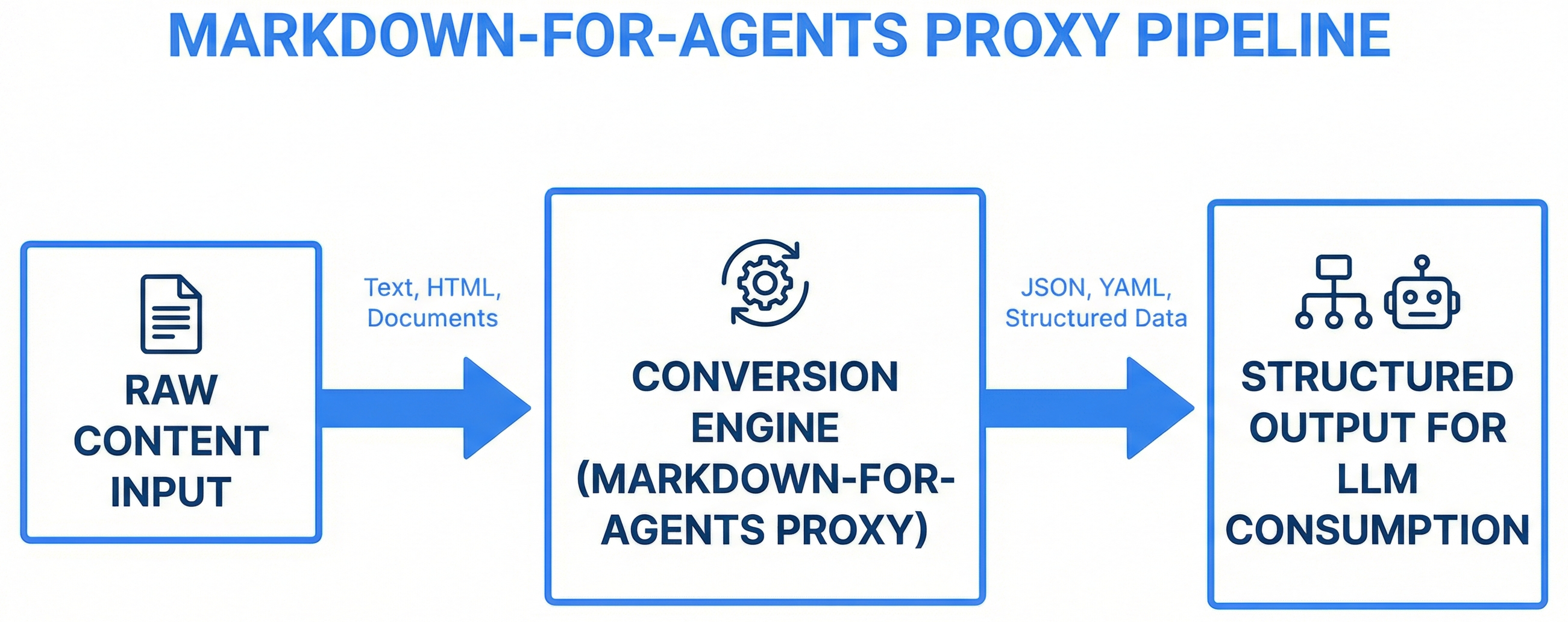
An HTTP proxy that converts web pages to clean markdown for AI agent consumption — stripping navigation, scripts, and styles while preserving structure, with Playwright fallback for JavaScript-rendered content.
When an AI agent fetches a web page, it gets raw HTML — navigation bars, JavaScript bundles, CSS stylesheets, tracking pixels, cookie banners, ads. A typical documentation page is 80% noise by token count. This noise wastes the agent's context window and obscures the actual content.
Agents need clean, structured text. Markdown preserves the content hierarchy (headers, lists, code blocks, tables) while eliminating everything that exists only for browser rendering. Converting HTML to markdown at the proxy layer means every agent benefits without individual tool modifications.
<!DOCTYPE html>
<html><head>
  <script src="analytics.js">...
  <link rel="stylesheet"...>
  <nav class="sidebar">...200 links...
  <div class="cookie-banner">...
  <main>
    <h1>API Reference</h1>
    <p>The actual content...</p>
  </main>
  <footer>...100 more links...
</html># API Reference
The actual content you
need, with structure
preserved and noise removed.
## Endpoints
| Method | Path | Description |
|--------|------|-------------|
| GET | /api | List all |Result: ~80% token reduction while preserving all useful content and structure.
The proxy uses a two-stage pipeline with automatic fallback:
Request: GET /md?url=https://docs.example.com/api

Stage 1 (Fast Path):
  httpx.get(url) → BeautifulSoup parse → strip noise → html2text convert → markdown

  If result < 100 chars (JS-rendered page detected):

Stage 2 (Fallback):
  Playwright launch → navigate(url) → wait for content → extract rendered HTML
  → BeautifulSoup parse → strip noise → html2text convert → markdown

Response: Clean markdown with metadata headerAsync HTTP client (httpx) with configurable timeouts, retry logic, and custom User-Agent strings. Handles redirects, cookies, and content-type detection. Rejects non-HTML content types early.
BeautifulSoup4 with noise removal. Strips elements that exist only for browser rendering:
html2text + markdownify pipeline that preserves semantic structure:
For JavaScript-rendered pages (React, Vue, Angular SPAs), Playwright launches a headless Chromium browser, navigates to the URL, waits for the content to render, then extracts the rendered HTML for parsing. This adds ~2-5 seconds but handles pages that return empty <div id="root"> containers.
---
title: API Reference — Example Docs
source: https://docs.example.com/api
fetched: 2026-03-28T14:32:00Z
tokens: ~800
---

# API Reference

The actual content, clean and structured...Build an HTML-to-markdown proxy service for AI agents:
1. FASTAPI APPLICATION:
- GET /md?url={url} — convert URL to clean markdown
- GET /md?url={url}&raw=true — return raw HTML
- GET /health — uptime, request count, dependencies
- GET /stats — cache hit rate, fallback frequency, avg response time
2. HTML FETCHING:
- Async httpx client with 10s timeout, 2 retries
- Custom User-Agent identifying the proxy
- Content-type validation (reject non-HTML)
- Redirect following (max 5 hops)
3. NOISE REMOVAL (BeautifulSoup4):
- Strip: script, style, noscript, nav, footer, aside
- Strip: cookie banners, ad containers (common class patterns)
- Strip: hidden elements (display:none, aria-hidden=true)
- Preserve: main, article, section, h1-h6, p, ul, ol, table, pre, code, a, img
4. MARKDOWN CONVERSION:
- html2text + markdownify pipeline
- Headers, lists, code blocks (with language detection), tables, links, images
- Absolute URL resolution for all relative references
- YAML metadata header (title, source, timestamp, token estimate)
5. PLAYWRIGHT FALLBACK:
- Trigger when fast-path result < 100 chars
- Headless Chromium, wait for networkidle
- Extract rendered HTML, feed through same parse pipeline
- 15s timeout for JS rendering
6. CACHING:
- In-memory LRU cache, configurable TTL (default 1 hour)
- Cache key: URL + query parameters
- Cache bypass via ?nocache=true parameter
7. DOCKER:
- Python 3.11 + Playwright + Chromium
- Multi-stage build for smaller image
- Health check in Dockerfile
- ENV vars: PORT, CACHE_TTL, PLAYWRIGHT_TIMEOUT
Create the complete service with all routes, parsing logic, and Dockerfile.A proxy is accessible to any agent via HTTP — no UI dependency, no browser required, works from CLI and server environments. Extensions only work inside a browser, which agents don't have.
Most pages don't need JavaScript rendering. The fast path (httpx + BeautifulSoup) handles ~80% of pages in under 500ms. Playwright only activates when needed, saving 2-5 seconds per request.
Modern, faster, better Docker support, native async, auto-wait. Playwright is the current standard for headless browser automation, and its Docker images include all dependencies pre-configured.
Playwright + Chromium requires specific system libraries. Containerizing the service ensures a consistent environment regardless of where it runs. The Docker image is the deployment artifact.
The memory plugin can fetch and store web content through the proxy, converting documentation pages to clean markdown before embedding them in vector storage.
Skills that reference live documentation can use the proxy to pull current content. The skill-updater fetches documentation URLs through the proxy for skill content refresh.
Research agents gather information from web sources through the proxy. Clean markdown means the agent spends context tokens on content, not HTML noise.
Claude Code's WebFetch tool can be configured to route through the proxy, automatically converting all web fetches to markdown for any agent or skill that uses it.